> ## Documentation Index
> Fetch the complete documentation index at: https://docs.vertz.dev/llms.txt
> Use this file to discover all available pages before exploring further.
# Task Manager
> A realistic task management app demonstrating routing, data fetching, forms, theming, and SSR with @vertz/ui
## Overview
The Task Manager is the primary example app for `@vertz/ui`. It's a multi-page SPA with CRUD operations, demonstrating how routing, data fetching, forms, theming, and context work together in a real application.
It uses an in-memory mock API (no server or database required), so you can run it immediately and explore every Vertz feature in action.
Browse the full source on GitHub
## Features demonstrated
| Feature | API | Where in the app |
| -------------- | -------------------------------------------------- | ------------------------------------------------------------------------------- |
| Routing | `defineRoutes()`, `createRouter()`, `createLink()` | `router.ts` — 4 routes with typed params and search params |
| Data fetching | `query()` | `task-list.tsx`, `task-detail.tsx` — reactive queries with loading/error states |
| Forms | `form()` with schema validation | `task-form.tsx` — per-field errors, submit state, progressive enhancement |
| Reactive state | `let` (compiler transforms to signals) | `task-list.tsx` — status filter, all pages |
| Derived values | `const` (compiler transforms to computed) | `task-list.tsx` — filtered tasks derived from query + filter |
| Context | `createContext()`, `useContext()` | `settings-context.ts` — app-wide theme and default priority |
| Theming | `configureTheme()`, `ThemeProvider` | `theme.ts`, `app.tsx` — light/dark mode with contextual tokens |
| Styling | `css()`, `variants()` | `components.ts` — scoped styles and parameterized button/badge variants |
| Icons | `@vertz/icons` | Sidebar nav, filter buttons, pagination |
| URL state | `useSearchParams()` | `task-list.tsx` — pagination driven by URL search params |
| SSR | Server-side rendering with hydration | Full SSR support out of the box |
## Pages
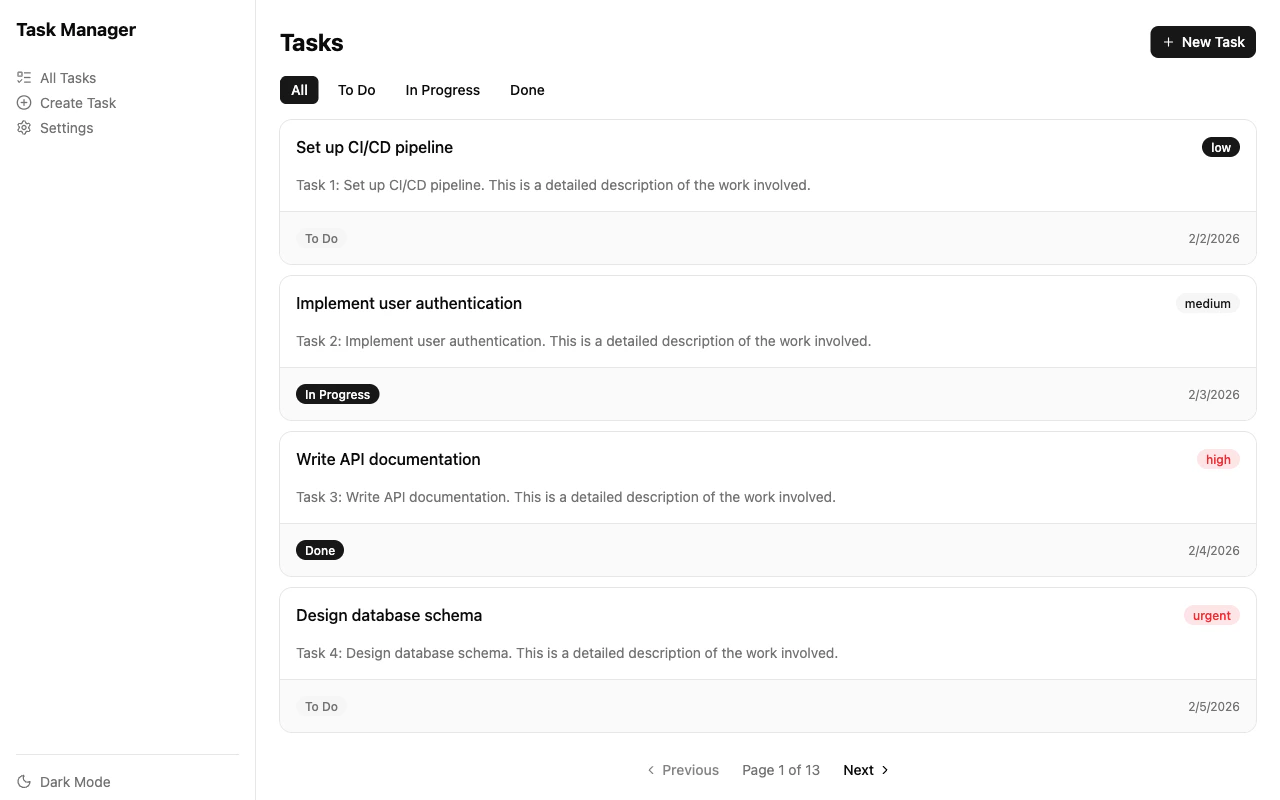
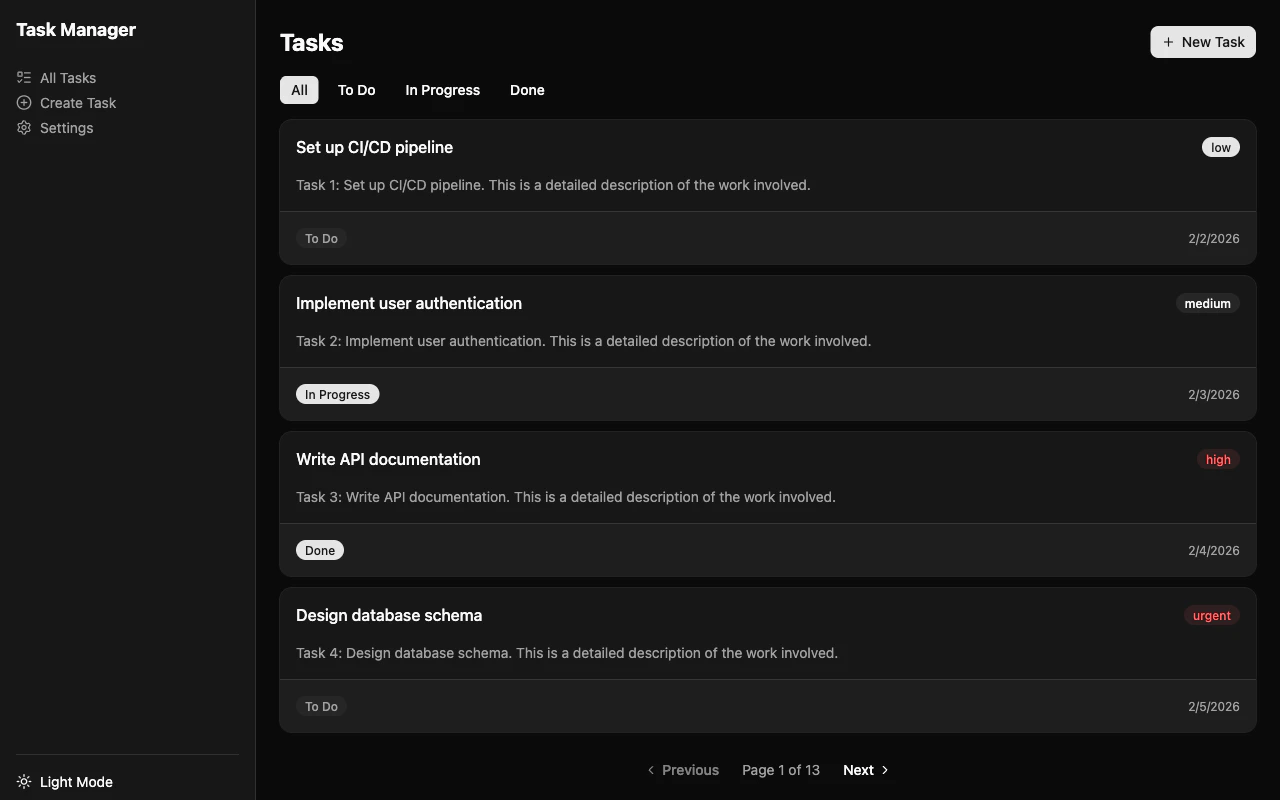
The main page displays tasks with status filtering (All / To Do / In Progress / Done) and URL-based pagination. Clicking a task navigates to its detail page.
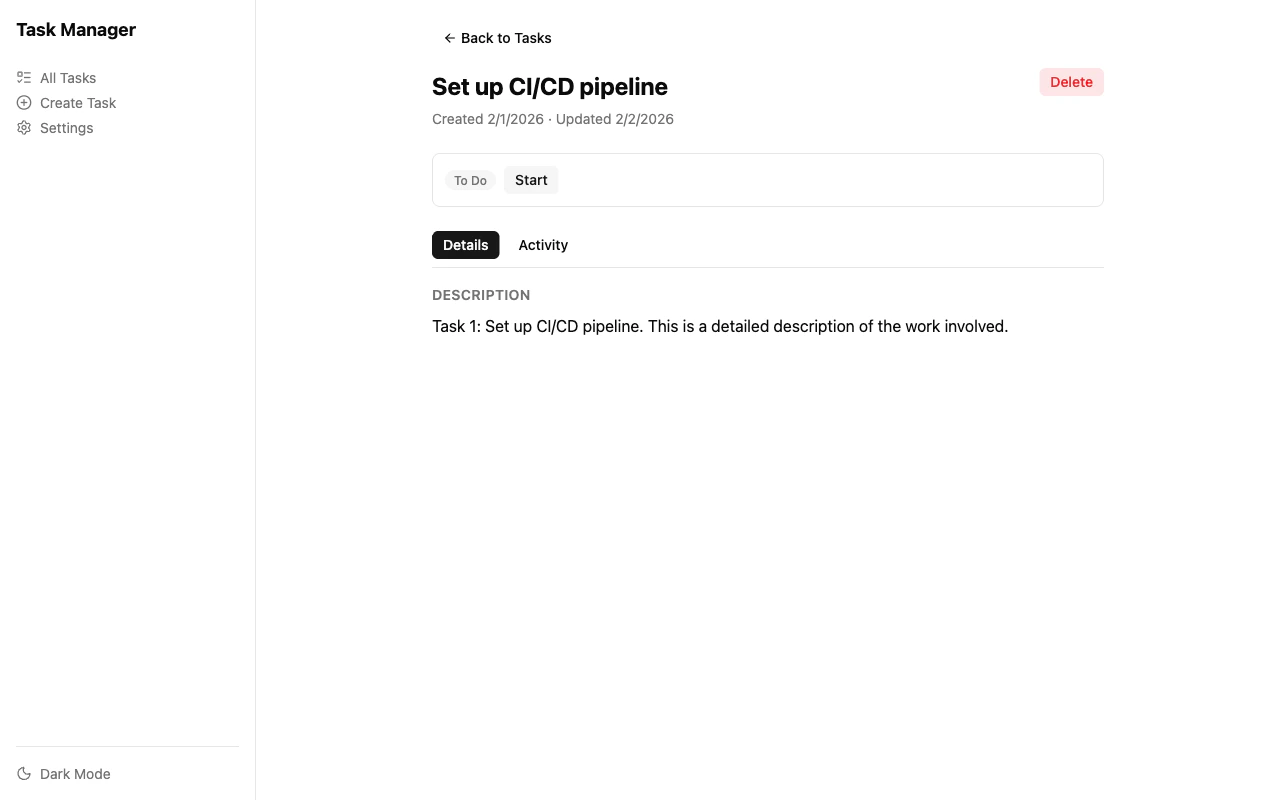
Shows a single task with status transitions (To Do → In Progress → Done), a tabbed view (Details / Activity), and a delete button with a confirmation dialog.
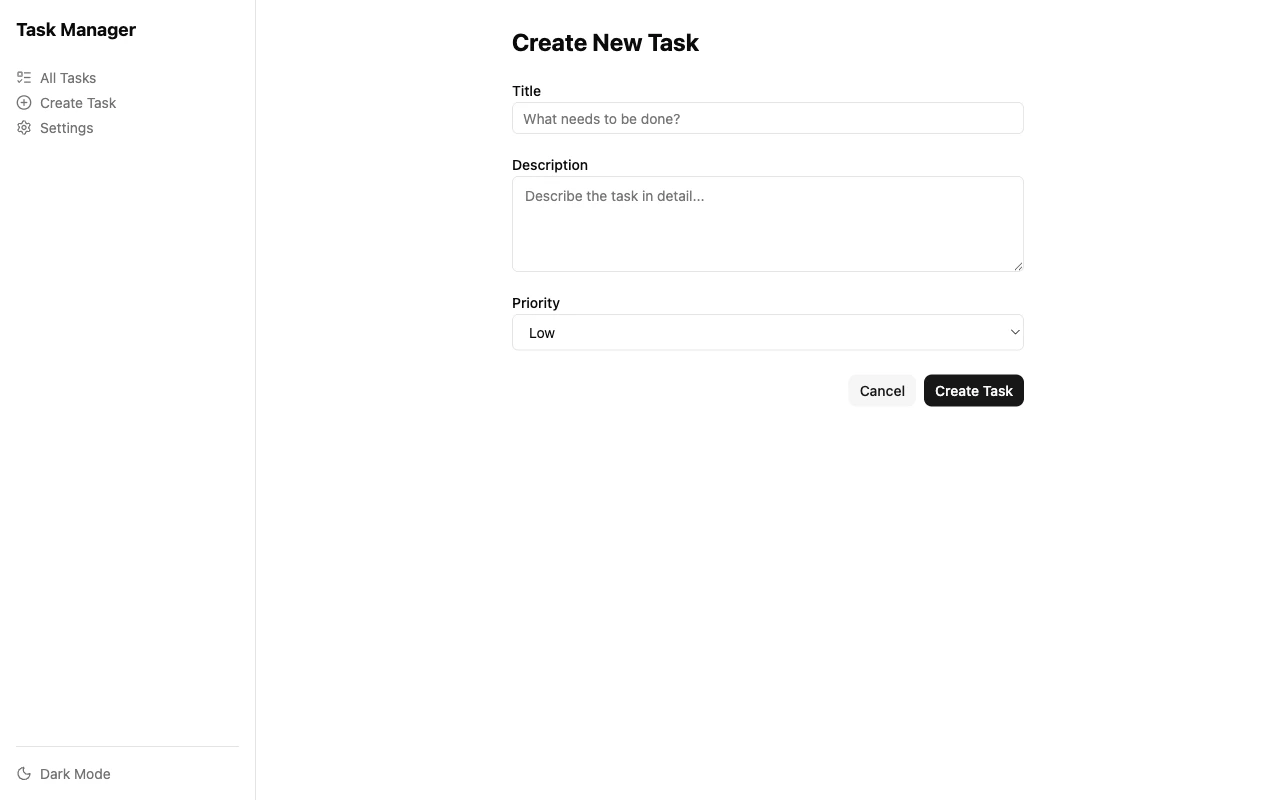
A form with per-field validation, priority selection, and submit state management. Built with `form()` and schema validation.
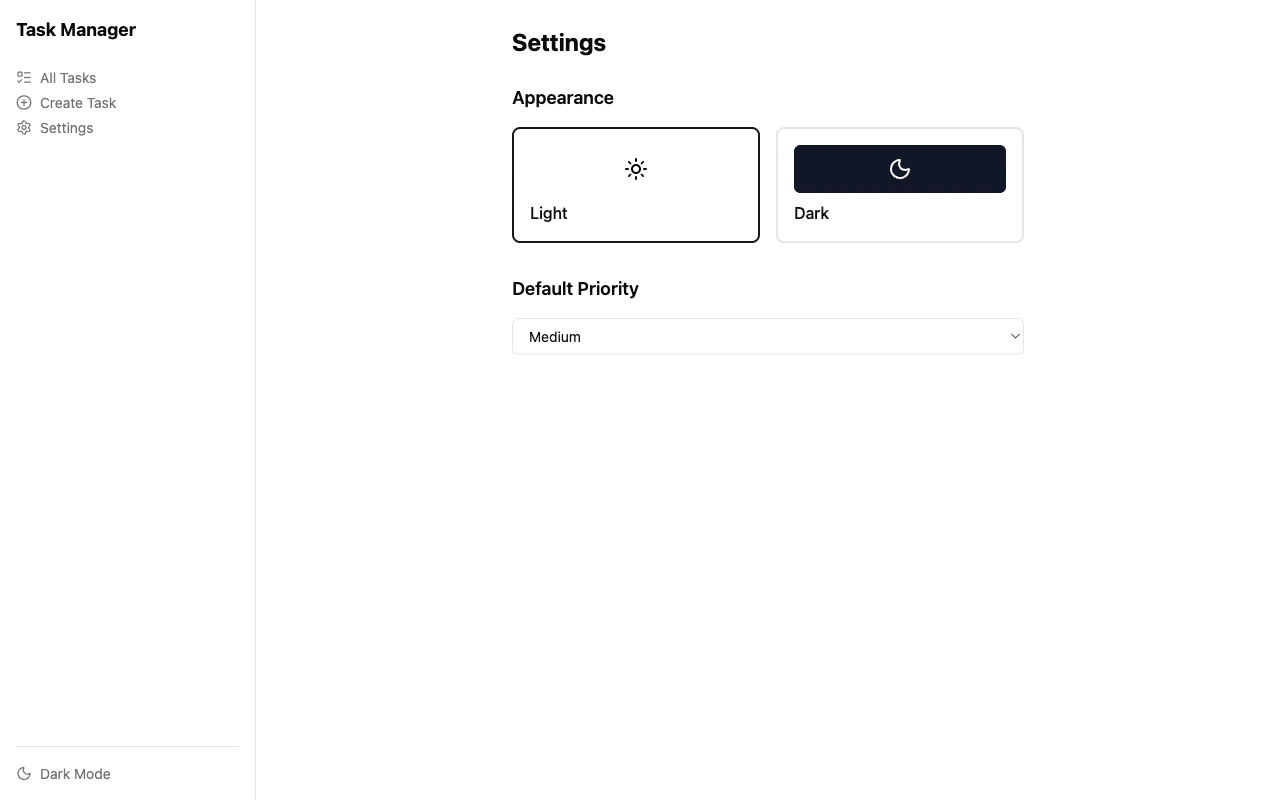
Theme switching (light/dark) and default priority configuration, powered by `createContext()` for app-wide state.
### Dark mode
The app supports light and dark themes via `configureTheme()` from `@vertz/theme-shadcn`. Theme switching is instant — CSS custom properties swap without re-rendering.
## Project structure
## Key patterns
### Reactive state with `let`
The compiler transforms `let` declarations into signals. Assignments become signal updates, and any JSX that references the variable re-renders automatically.
```tsx theme={null}
// task-list.tsx
let statusFilter: TaskStatus | 'all' = 'all';
// Clicking a filter button updates the signal — the UI reacts
;
```
### Data fetching with `query()`
`query()` returns an object with reactive properties (`data`, `loading`, `error`). The compiler auto-wraps arguments in thunks, so changing search params automatically re-fetches.
```tsx theme={null}
// task-list.tsx
const sp = useSearchParams<{ page: number }>();
const tasksQuery = query(api.tasks.list({ page: sp.page, limit: 4 }));
// Derived value — compiler wraps in computed()
const filteredTasks =
statusFilter === 'all'
? tasksQuery.data.items
: tasksQuery.data.items.filter((t) => t.status === statusFilter);
```
### Forms with `form()`
`form()` binds to an SDK method with schema validation. It provides per-field error signals and submit state for reactive form UIs.
```tsx theme={null}
// task-form.tsx
const taskForm = form(taskApi.create, {
schema: createTaskSchema,
onSuccess,
});
;
```
### Routing with `defineRoutes()`
Routes are defined declaratively with typed params and optional search param schemas. Pages access navigation via `useRouter()` — no prop threading.
```tsx theme={null}
// router.ts
const routes = defineRoutes({
'/': {
component: () => TaskListPage(),
searchParams: s.object({ page: s.coerce.number().gte(1).default(1) }),
},
'/tasks/:id': {
component: () => TaskDetailPage(),
loader: async (ctx) => await api.tasks.get(ctx.params.id),
},
});
export const appRouter = createRouter(routes, { serverNav: true });
```
## Running the example
```bash theme={null}
# Clone the repo and install dependencies
git clone https://github.com/vertz-dev/vertz.git
cd vertz
vtz install
# Start the task manager dev server
cd examples/task-manager
vtz dev
```
The app starts at `http://localhost:3000` with full SSR and HMR.
### Available commands
```bash theme={null}
vtz dev # Development server with SSR + HMR
vtz run build # Production build
vtz run preview # Build + start production server
vtz run typecheck # TypeScript checking
vtz test # Unit tests
vtz run e2e # Playwright E2E tests
```
 ## Project structure